Testing & compatibility · Updated 28 October 2026
A clear view of
what we have checked.
Recovery results vary. These notes explain the evidence behind Heirvo’s demonstrations, what you need to try your own disc, and where testing is still in progress.
Start with the disc you have
What you need
- A Windows 10 or Windows 11 computer and space for recovery working files and saved recordings.
- A compatible optical drive that reads your disc’s format. A DVD needs a DVD-capable drive. A USB enclosure must support optical-drive commands; a generic SATA adapter may not.
- Your own recording, or permission to recover and copy it. These demonstrations cover personal recordings.
Do not spin a cracked or badly warped disc. A playback error alone does not establish disc rot, and a different compatible drive can behave differently.
| Workflow | Evidence available | What that means for your disc |
|---|---|---|
| Personal video DVD | A clean, burned reference DVD was recovered through a physical ASUS DRW-24D5MT drive. | This checks the end-to-end workflow on that disc and drive. It is not a damaged-DVD success-rate study. |
| CD and other optical formats | Heirvo has format-specific recovery paths; wider physical format and drive acceptance remains in progress. | Do not assume the DVD demonstration certifies an audio CD, Kodak Photo CD or Blu-ray workflow. Ask about your exact disc. |
| Playback and spoken-word search | Real reference-library search and moving playback were checked in the Windows candidate. | Readable media and recognizable speech are needed. A matching result is not guaranteed. |
Physical workflow · 26 October 2026
The reference-DVD check
We created a clean reference DVD using licensed illustrative footage and fictional synthetic demo speech. In the recorded 1.2.5 acceptance run, Heirvo recovered that physical disc through an ASUS DRW-24D5MT drive. The recovered image matched the burned master byte for byte.
- Choose the physical drive and a normal recovery destination.
- Pause at 49%, close and reopen the app, then resume the same recovery.
- Check the completed image against the reference master.
- Find the spoken word trout, open the result at 1:17 and verify moving playback.
- Check Free save gates and an MP4 export using an existing Archive test license.
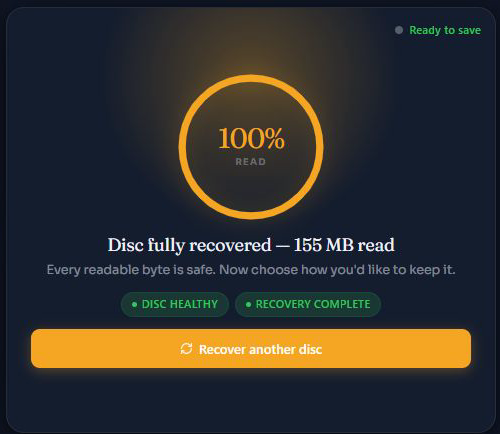
A separate 1.2.6 review checked interface behavior, reference-library search, moving playback, theme switching and Free save restrictions. Its recorded frontend checks included 47 unit tests and 20 isolated browser scenarios. Those checks do not replace wider physical-disc, clean-Windows or fresh-license acceptance.
Read the public test summary and reference-image checksum →A word you can hear
What speech search finds
Heirvo uses local Whisper transcription to make recognized spoken English searchable. The reference recording includes “Father and son caught a rainbow trout.” Searching trout opens its associated passage at 1:17.
Search follows recognized words. It does not recognize a fishing scene, identify a person’s face or infer a silent event. Background noise, damaged audio and recognition errors can cause missed words or approximate timestamps.
Read the spoken-word search guide →Check what came back
A useful result needs a viewing check
Preview the beginning, middle and end of each important recording, including the sound. If you save a video, open it outside Heirvo too. Keep the original disc and another verified copy on separate storage. Software cannot recreate physically destroyed data.
Watch the reference-disc workflow →Current availability
Candidate, release and license
1.2.6 is the current locally installed candidate. It has not been publicly released. Paid sales await merchant approval and remaining release checks. Published builds are identified on the download page.
Scanning and in-app preview are free. Recover is $49 once for 1 Windows PC and unlocks saving recovered disc files. Archive is $89 for 3 PCs and adds collection/import features; Family is $129 for 5 household PCs. Check current release availability before purchasing.
Media recovery and speech processing stay on your PC. Activation and occasional license checks use the internet. Offline processing depends on installed components and a valid cached license.
Editorial care
How these notes are maintained
Heirvo maintains these pages under the Heirvo brand. Original test observations are kept separate from general advice and product plans. Illustrative imagery, dramatized openings and synthetic demo speech are labeled. Public test summaries omit personal profiles, customer files and license details.
See an error or need help interpreting a result? Contact Heirvo support.